NOT OPEN YET — OPENING SOON
The books half
of the shop.
A one-man shop's money runs in a loop: quote, win, invoice, get paid, then the books and the taxes. QuoteIron owns the front half. IronTally owns the back half — the part QuickBooks charges you like a hostage for.
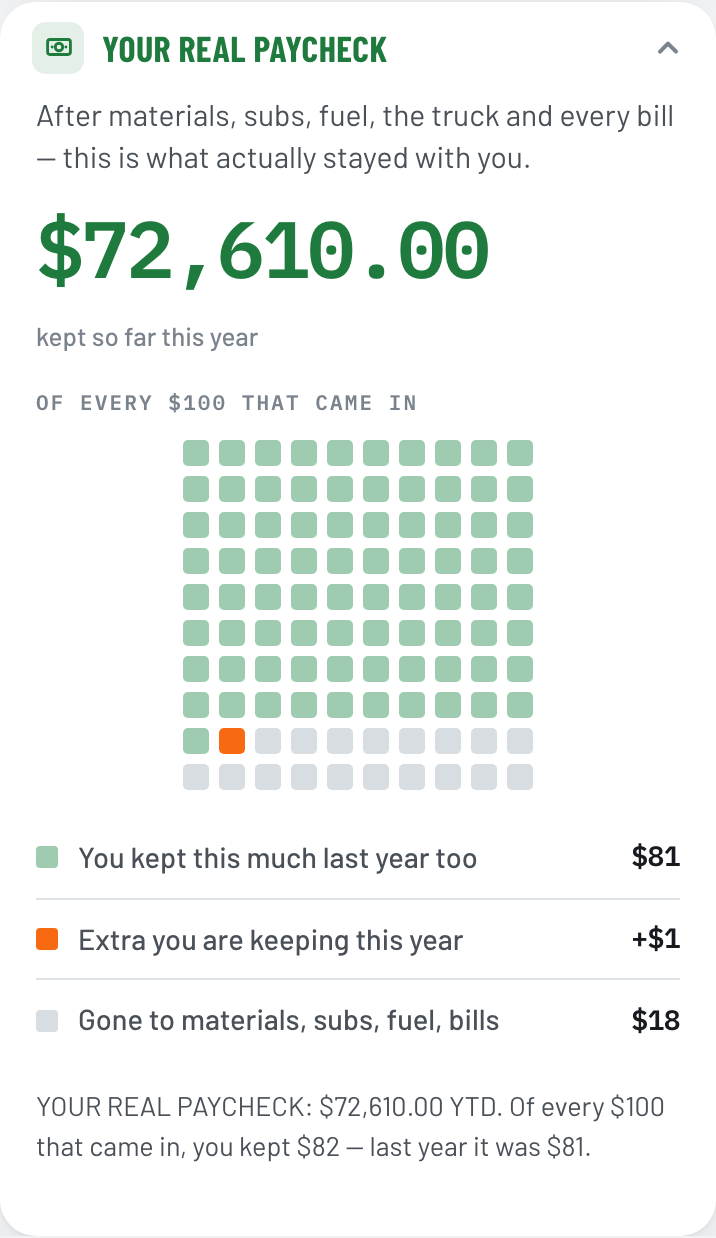
It opens on your nut — the fixed bills that hit every month whether you work or not — and the day you covered it. Under that, your real paycheck: what actually stayed with you out of every $100 that came in. Every row underneath reads like a person wrote it — Supplies, line 22 — never a debit and a credit.
IronTally has not opened yet. The six views below are real screenshots of the built app. Bank links, the iOS and Android apps, and the free trial all land when the doors open — written here in plain future tense so you can tell the two apart.
WORKS OFFLINE · YOUR DATA IN A FILE YOU OWN · CANCEL ONLINE
The front half of the shop is already open: QuoteIron writes the quotes and the invoices today, and those invoices import into IronTally the day it opens.
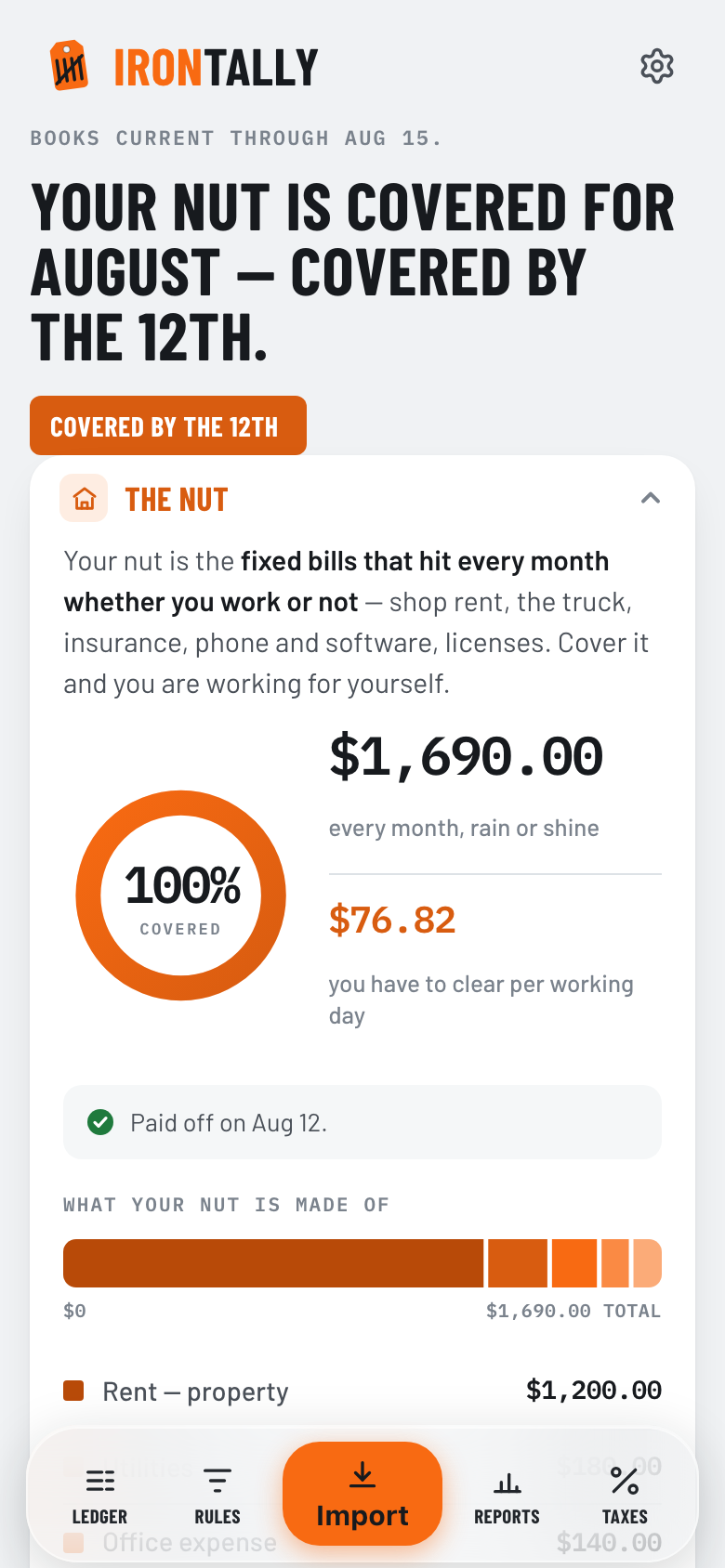
The board you land on. Real app, demo figures.
Six views, walked through.
No debit-credit jargon.
These are real screenshots of the app, taken from the current build — no mockups. What you see here already runs; it is waiting on the doors opening, not on the code. A seventh view, Settings, holds your business profile, backup, and export.
Dashboard
The view you land on. Your nut and the day you covered it, your real paycheck out of every $100 that came in, what is yours to spend once the taxman's cut and the deposits you have not earned are set aside, and money in against money out. Plain sentences, not a chart of accounts.
Ledger
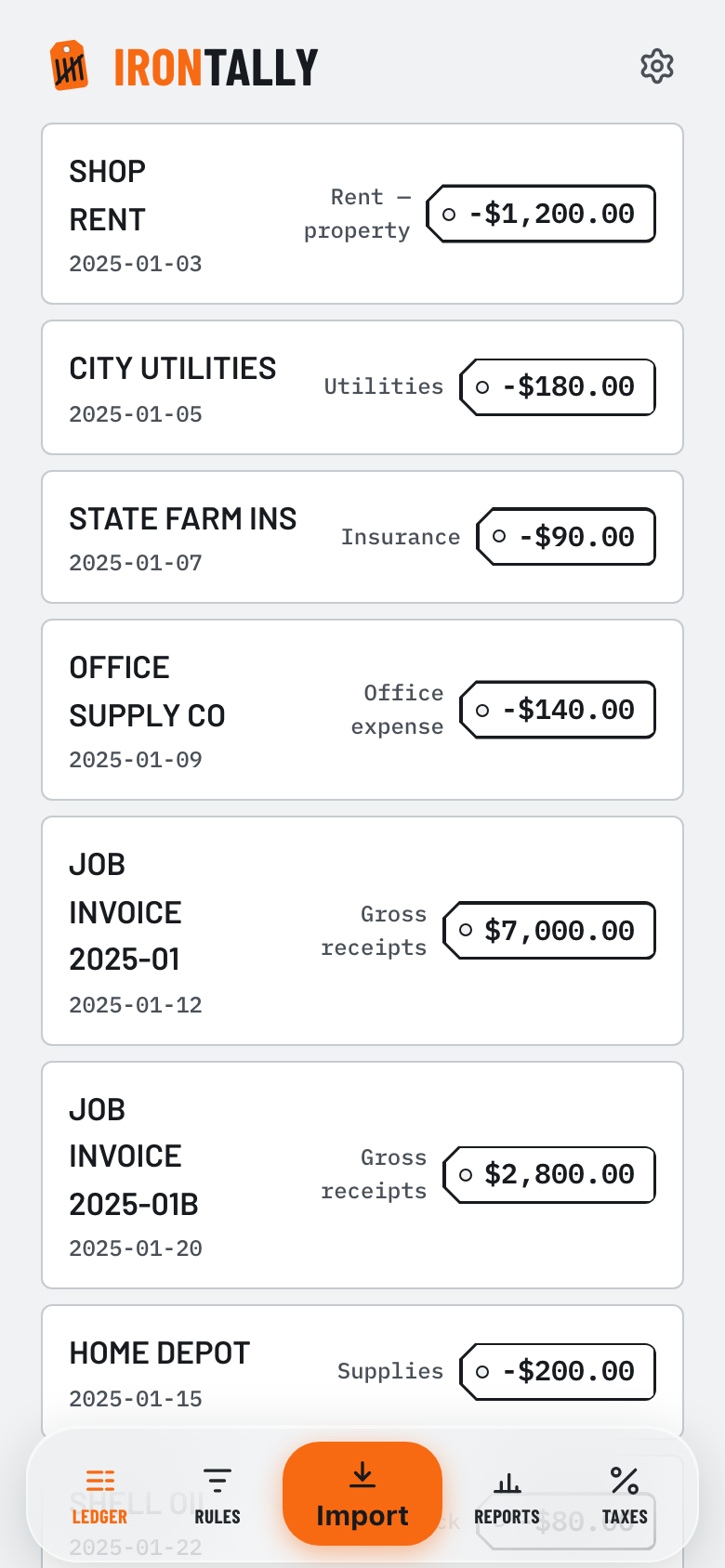
Money in, money out. Every row tagged to a Schedule C line in English — Supplies, line 22 — not an account number. Fix a category inline, and turn any fix into a standing rule with one tap.
Import
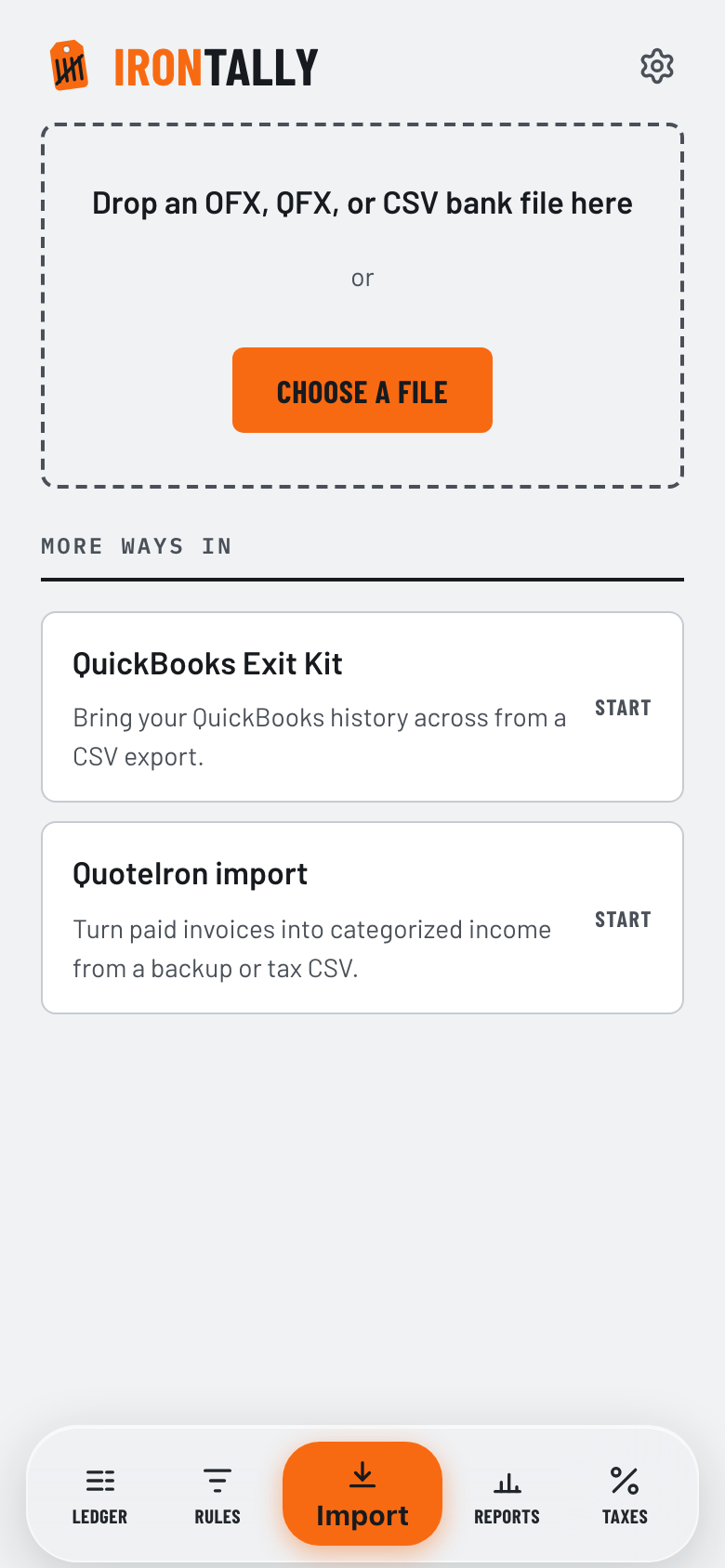
One intake, three doors: the QuickBooks Exit Kit, an OFX/QFX/CSV bank-file drop, and your QuoteIron invoices. Run the same file twice and it never doubles a row. A fourth door, a direct bank link, opens with the launch.
Rules
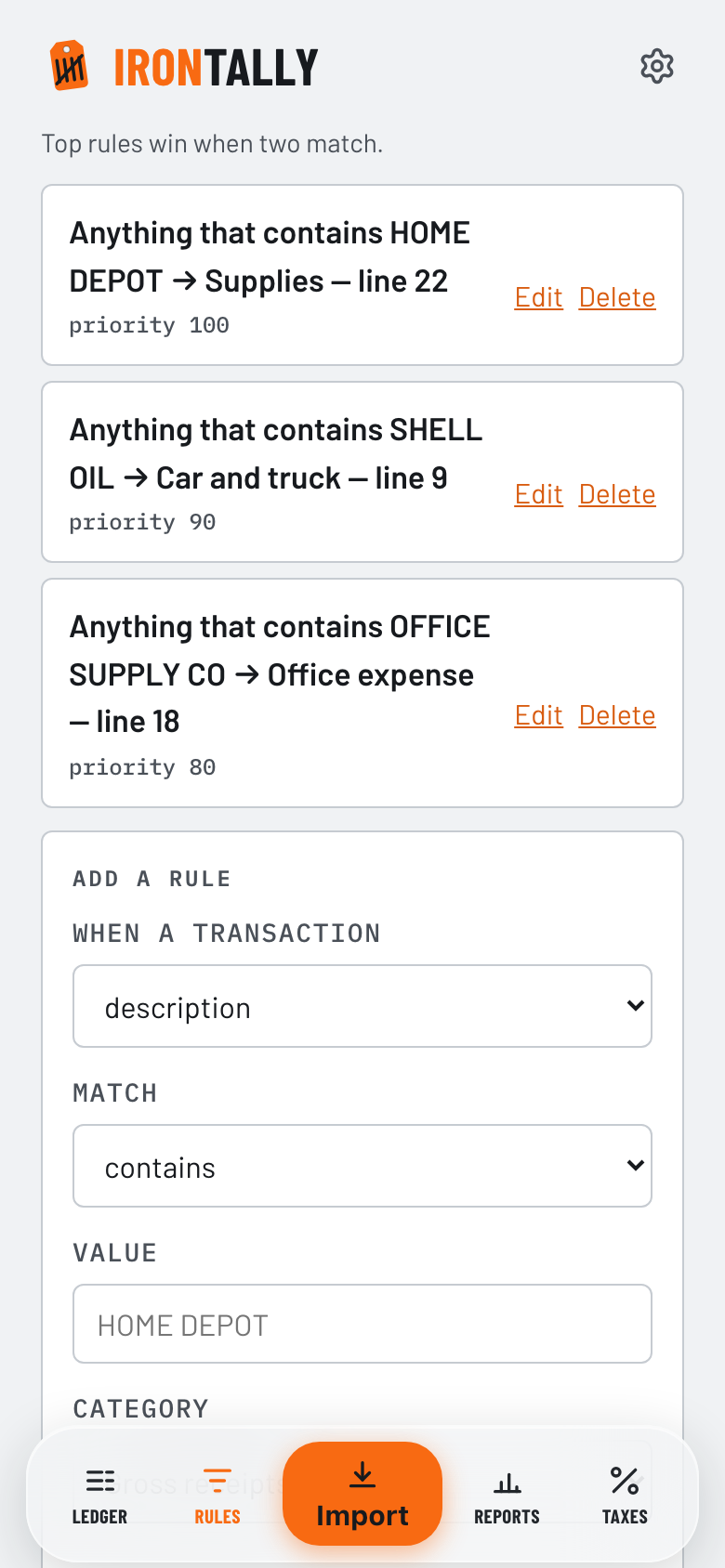
Plain-language rules do the sorting: anything from HOME DEPOT goes to Supplies. Set it once and you are never asked about that merchant again.
Reports
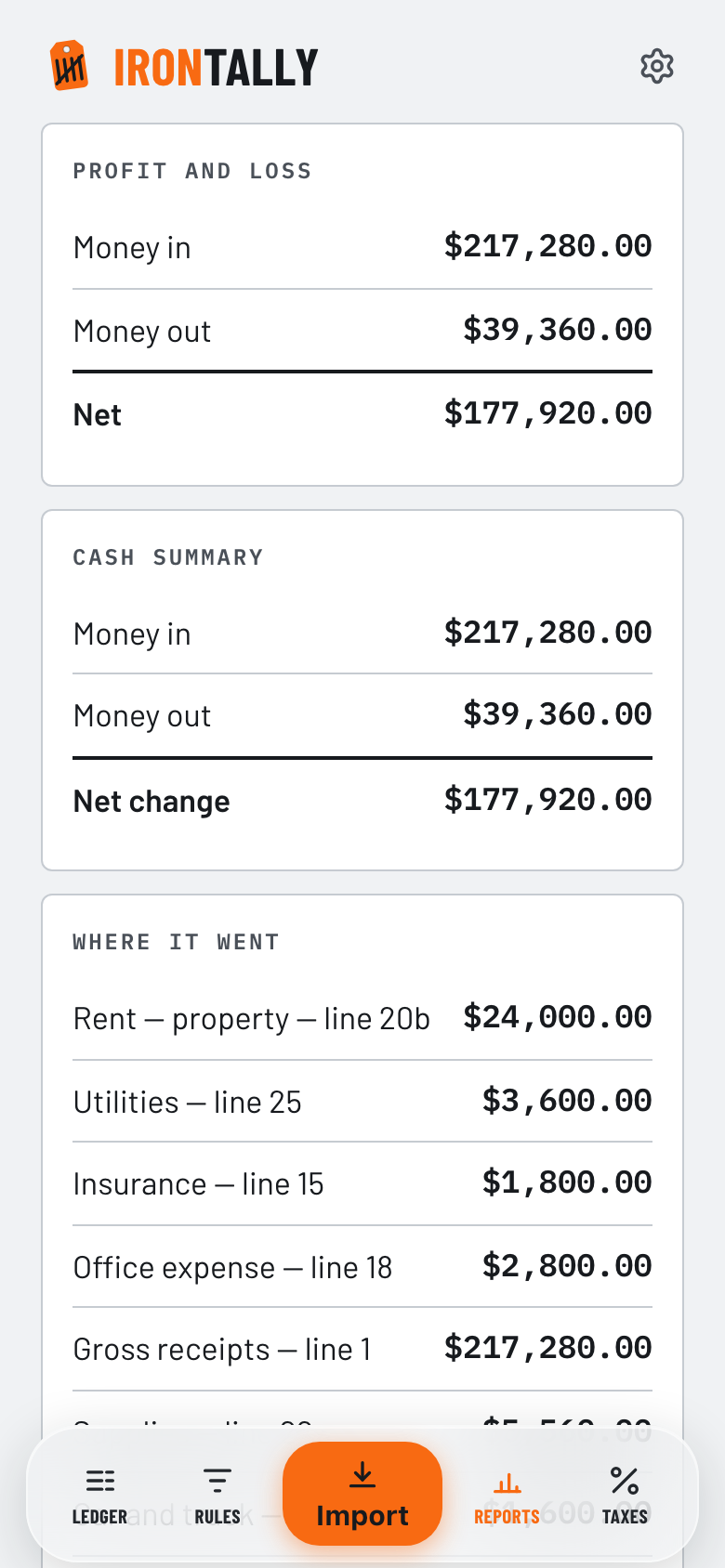
Profit and loss, cash summary, where the money went. Every total ties back to the ledger rows underneath it.
Taxes
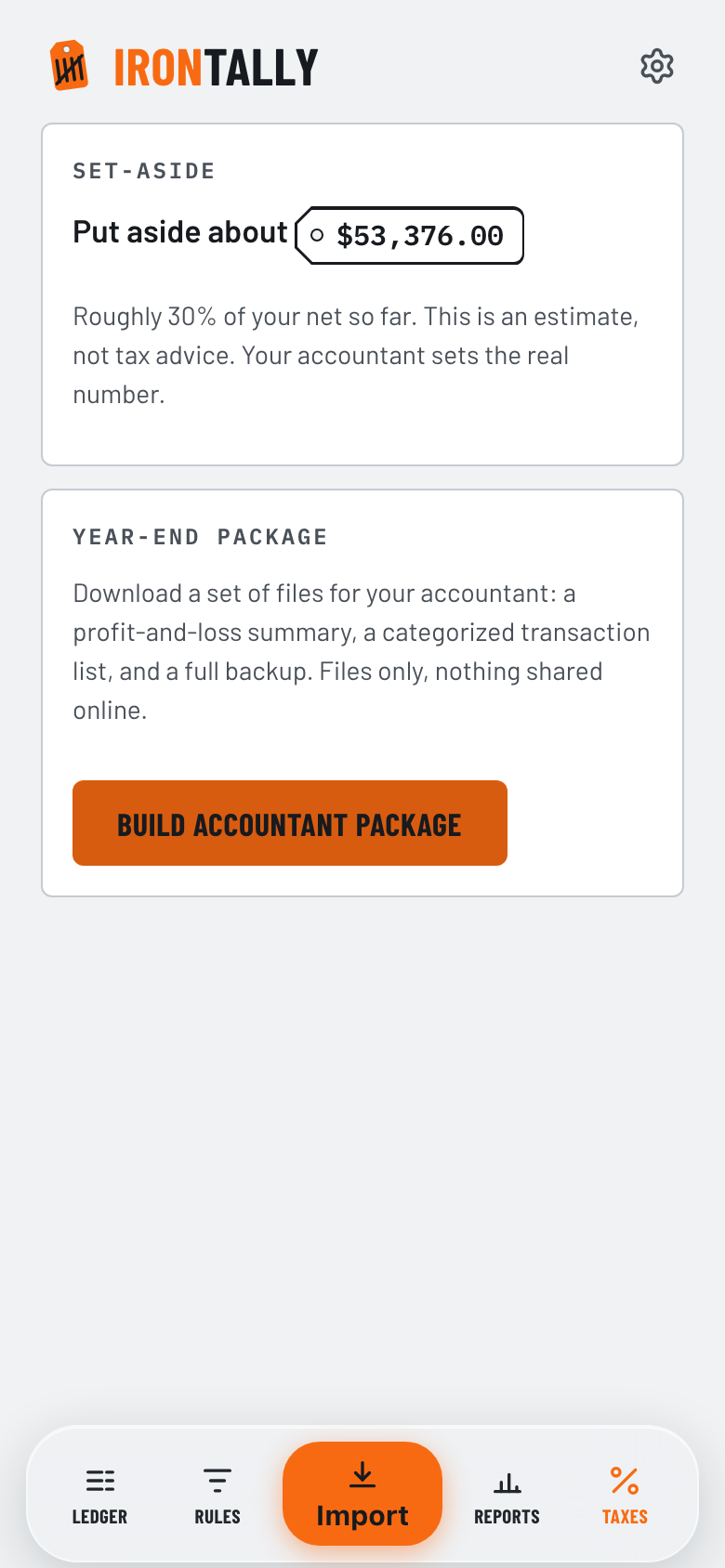
A running quarterly set-aside — put aside about this much — labeled an estimate, not advice. At year end, build the package your accountant needs as files you hand over.
Not built yet.
Say so plainly.
Everything above already runs. Everything in this section does not, and will not until launch day. It sits here so you can decide with the whole picture instead of half of it.
Link your bank
Link your bank and the books will keep themselves — transactions arriving on their own, sorted by your rules, with no file to download and nothing to drag anywhere. Two bank logins will be included in the price; an add-on will take you to five.
Counted per bank login, not per account: one login at one bank covers the checking, the savings, and the card sitting behind it. The file drop is not going anywhere either — it stays the door for any bank that will not connect.
Your QuoteIron work, carried over
Run QuoteIron? Your invoices and payments will flow straight into IronTally the moment you authorize it — one account, one passkey, no re-entry. You sign in once and say yes; nothing crosses between the two products until you do.
Paid invoices land as categorized income. A deposit lands as money you owe until the job is earned, and releases into income when the invoice is paid.
The phone apps
An iPhone app and an Android app are both being built. The iOS build is already running in TestFlight; the Android build follows it. Until they land in the stores, IronTally runs in any phone browser — it is built phone-first, which is what every screenshot on this page is.
Bring your history.
Leave the bill behind.
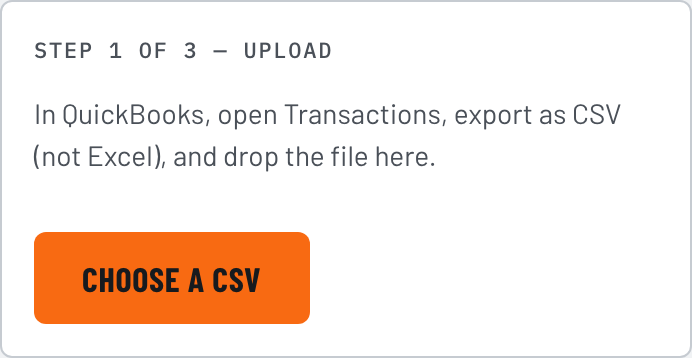
QuickBooks raised its solo prices twice in 2026. The exit is a guided wizard: export QuickBooks' own reports, save them as a CSV, drop the file in, and IronTally maps your old chart of accounts onto plain-language Schedule C lines.
The honest part: it reads the files QuickBooks already lets you download. No Intuit API, no login to your QuickBooks account, nothing to approve. QuickBooks Desktop is the one door it can't open — that export is Windows-only, and IronTally is not going to pretend otherwise.
The wizard is built and walked step by step in the QuickBooks exit guide.
IRONWORKS
QuoteIron writes the quote and the invoice, and it is open for business today. IronTally keeps the books and the taxes, and opens next. Your paid QuoteIron invoices will land in IronTally already sorted as income — the biggest table in your ledger fills itself.
At launch you will run both halves under one login, one renewal date, one cancel button. IronWorks will be $22/mo or $199/yr for both. The whole discount lands on the books half: IronTally for $59/yr when you already run QuoteIron. Your QuoteIron price never moves.
Prefer just the books? IronTally will stand alone at $99/yr — you will not need QuoteIron to use it, and your QuoteIron invoices still import from a file if you switch later.
Open QuoteIron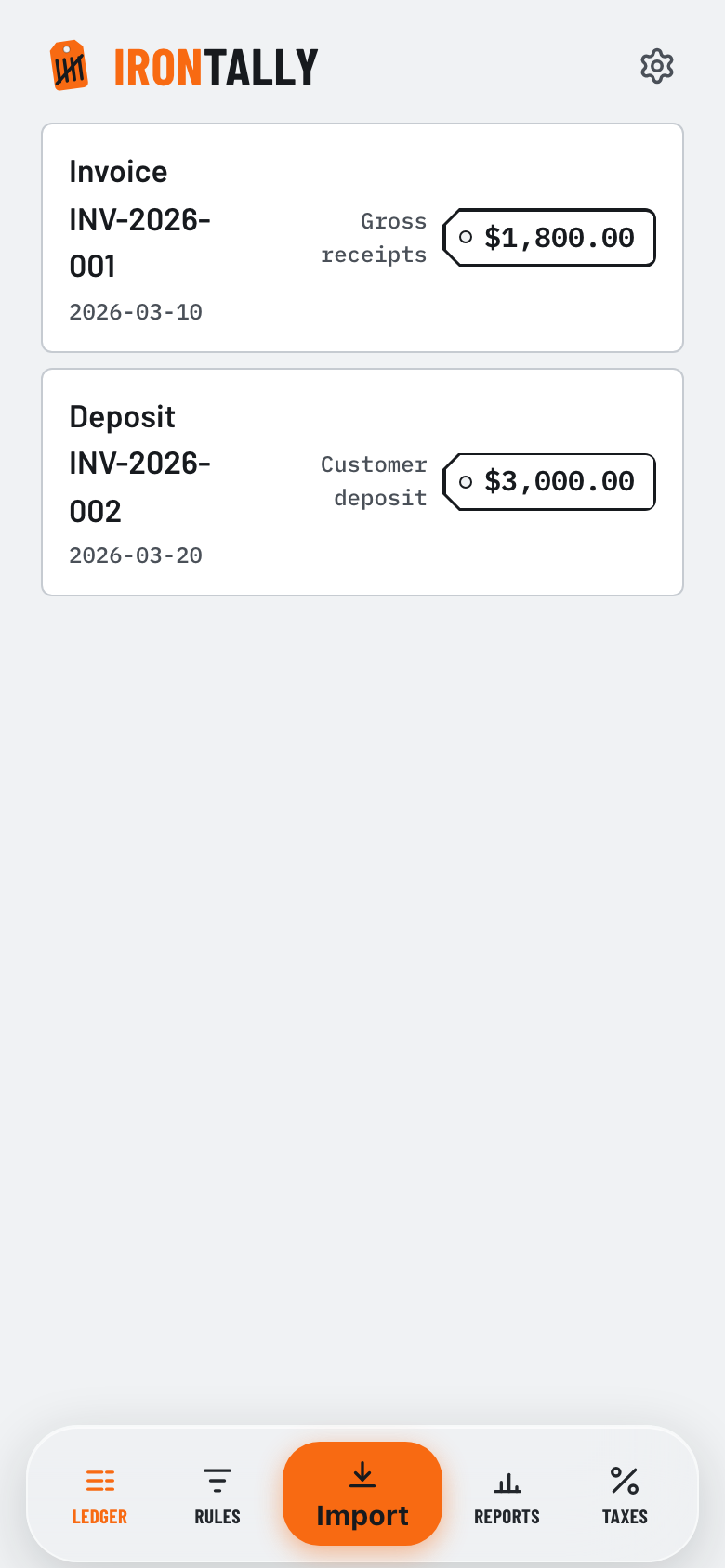
One price. On the tag.
Here so you can judge it now, not so you can pay it now. Nothing on this page charges you anything, and no card is taken until IronTally opens.
- Every view: Ledger, Import, Rules, Reports, Taxes, Settings
- QuickBooks Exit Kit, bank-file import (OFX/QFX/CSV), one-tap QuoteIron import
- Plain-language Schedule C categories and a running quarterly estimate
- Year-end accountant package as files you hand over
- Encrypted cloud backup, and a free full export anytime
- Two bank logins included at launch; an add-on takes it to five
- 30-day free trial at launch, no card — new accounts get the whole thing
| Tool | Solo price | Source |
|---|---|---|
| IronTally | $99/yr flat | — |
| QuickBooks Solopreneur | $120/yr ($20/mo) | capterra.com |
| QuickBooks Simple Start | $38/mo list (two 2026 hikes) | nerdwallet.com |
| Wave Pro | $19/mo · $190/yr | waveapps.com |
IronTally's $99/yr undercuts QuickBooks' own solo product, Solopreneur, by about 18% on the year — and by about 40% on the monthly-equivalent. A Schedule C filer's tax-prep bill runs a few hundred dollars a year; IronTally is less than one hour of your accountant, every year.
CANCEL ONLINE, ONE CLICK · NO CONTRACTS · NO PER-DOCUMENT CAPS · EXPORT EVERYTHING, ALWAYS
Tell me when it opensCompetitor prices as of July 2026, from each vendor's own pricing page or a named aggregator; the links are right there. Annual saving: $12 x 12 = $144 vs $99. IronTally's own price takes effect at launch; nothing is charged before then.
Questions a smart
skeptic asks.
When does IronTally open?
No date promised, because a date we miss is worth less than no date at all. What is true today: the six views on this page are built and running, the iOS build is in TestFlight, and the remaining work is the bank links and the store reviews. Leave your email in the block below and you get one message when the doors open — that is the whole list, and it is used for nothing else.
Can I try it right now?
No. The app is walled off until launch, so there is no trial door to walk through and no card to hand over. If you want something from this shop today, the front half is open: QuoteIron does quotes and invoices, and its data imports straight into IronTally when the books half opens.
How will the bank links work, and what do they cost?
At launch you will connect a bank once and transactions will arrive on their own, sorted by your rules. Two bank logins are included in the $99; an add-on takes you to five. It is counted per login, not per account — one login at one bank covers the checking, the savings, and the card behind it. Bank-file drops (OFX, QFX, CSV) keep working either way, so a bank that refuses to connect is never a dead end.
How will my QuoteIron deposits show up?
A deposit is booked from the deposit percentage set in your QuoteIron settings — it lands as money you owe until the job is earned, not income on day one. That percentage is a setting, not a reading of your bank, so verify a deposit against what actually cleared. When the invoice is paid, the deposit releases and the income posts.
Do I import my QuoteIron data from a backup or the tax CSV?
One or the other, not both. Use the full backup JSON if you want customers, invoices, and deposits; use the tax-ready CSV if all you need is the income side. Importing both files double-covers the same invoices — pick one. Either way, IDs are stable, so re-running the import never doubles a row.
What happens to my data if you disappear?
Your readable books live in one file you own, on your device. Only an encrypted copy we physically cannot read ever touches our servers, for backup. One tap exports the whole thing — a JSON backup plus a tax CSV any accountant or tool can open. If you leave, you leave with everything.
Is the quarterly number tax advice?
No. It is a running estimate — put aside about this much for the quarter — built from your Schedule C net. Every assumption is labeled. It is an estimate, not advice, and not a substitute for your accountant.
Can I import from QuickBooks?
QuickBooks Online, yes — the Exit Kit reads a CSV. QuickBooks itself only exports to Excel, so there's one extra Save As step first (the guide walks it); no Intuit API, no login to your QuickBooks either way. QuickBooks Desktop, no — that export is Windows-only, and we are not going to pretend a web app can read it.
How do I cancel?
Cancel online, one click, from Settings. No phone call, no hold music, no "someone has to call you back." Your export stays free after you leave.
Want to know
when the doors open?
There is no form here yet, and pretending otherwise would be the first dishonest thing on this page. Send a one-line email and you go on the list by hand. One message when IronTally opens, then nothing — no drip, no newsletter, no selling your address to anyone.
In the meantime the front half of the shop is open and takes customers today: QuoteIron handles the quotes, the invoices, and getting paid. Everything it records comes across to IronTally when the books half opens.